

How to enable 2FA for your Binance account#
A Step-by-Step guide how to set up two-factor authentication for Binance
Download Authenticator App
Before we start, download the Authenticator App from your Apple device’s App Store and set it up as your main Two-Factor Authentication (2FA) option. Here is how to set up it.


Locate 2FA Settings
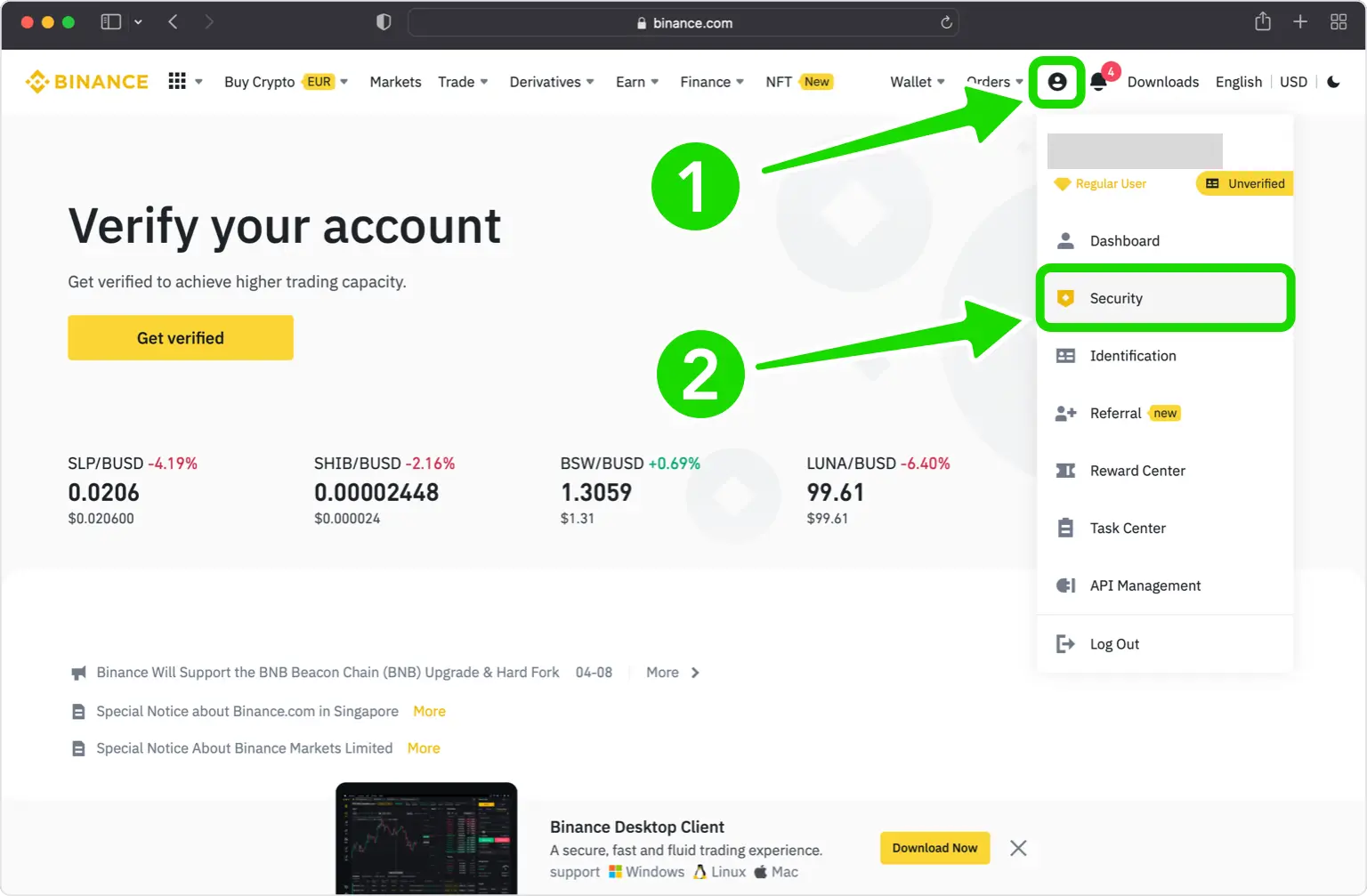
Log in your Binance account and click on your profile picture in the top right, then choose Security.
Google Authenticator
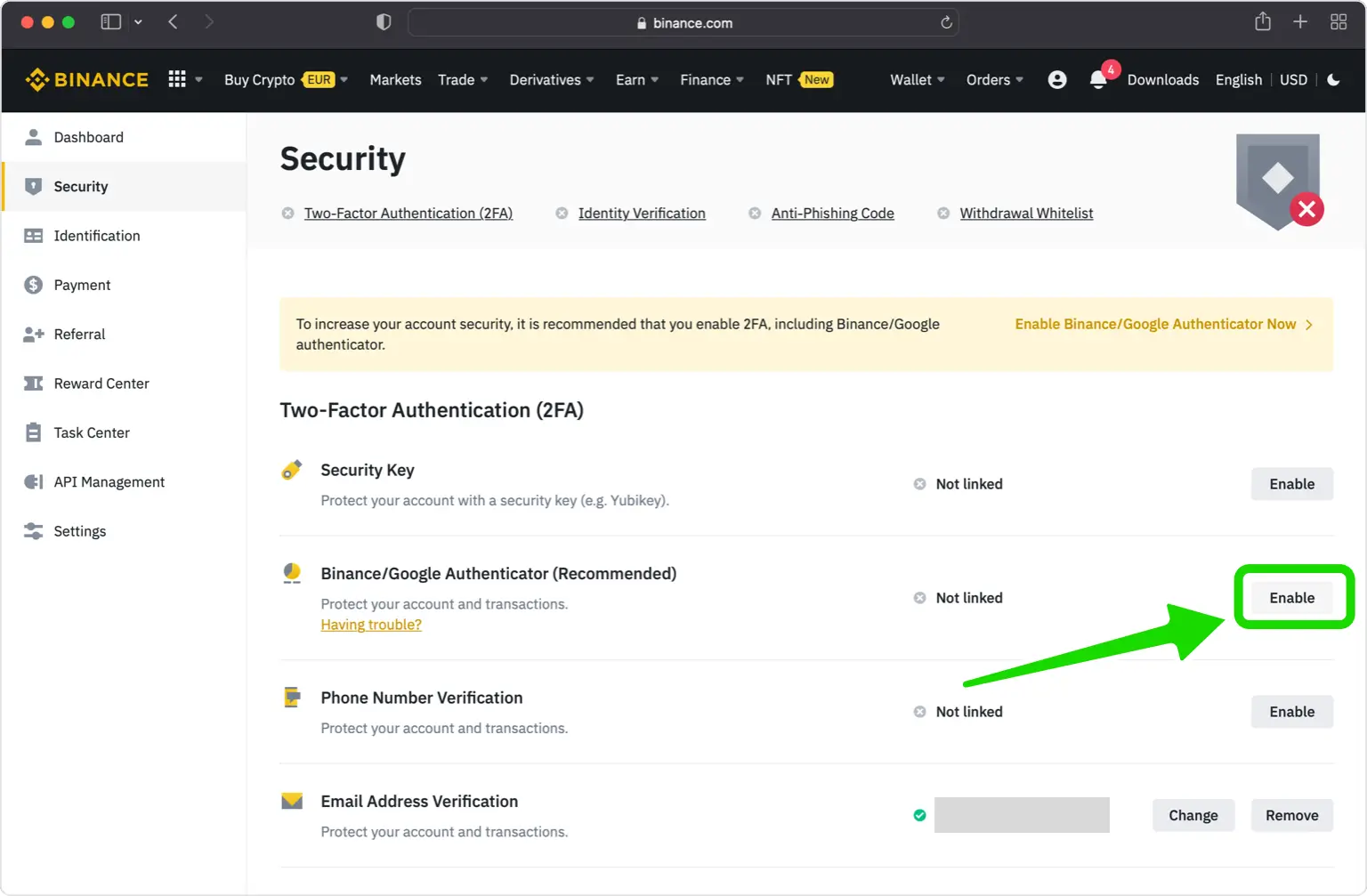
Find Binance/Google Authenticator and select Enable.
Verify Your Phone Number
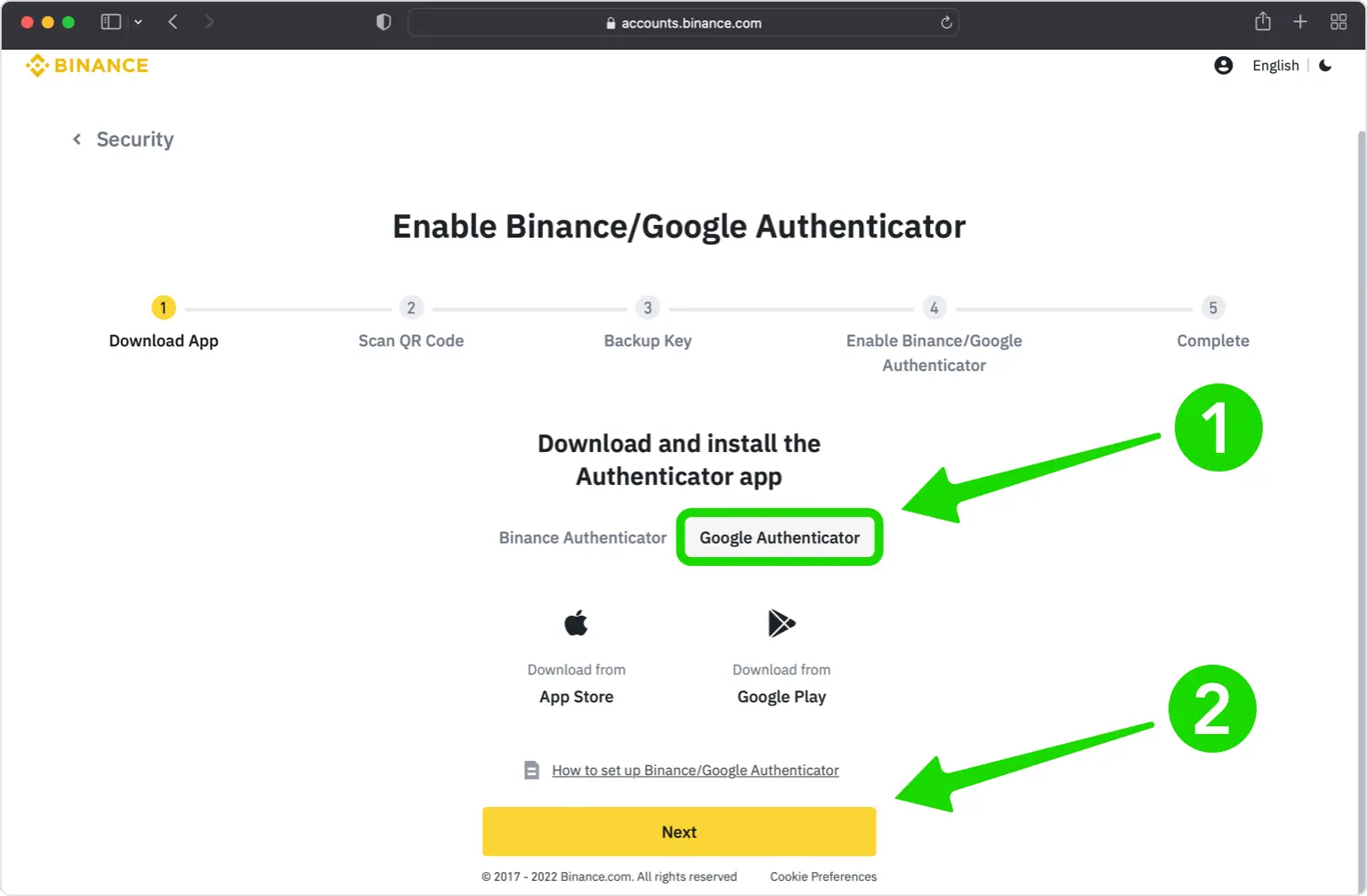
Choose Google Authenticator and press on Next.
QR Code
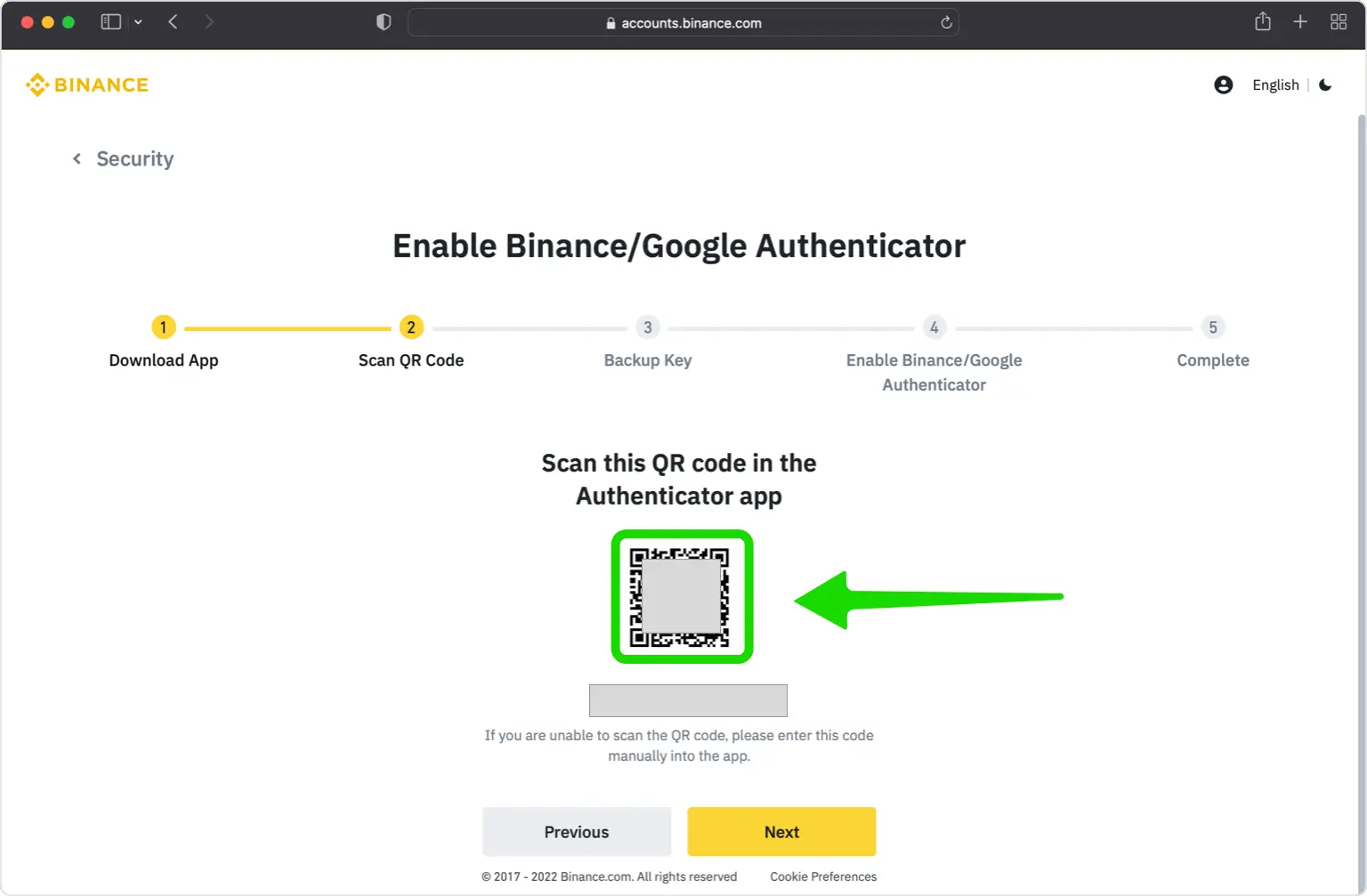
In this step is shown the QR Code that contains the secret key which you need to scan with Authenticator App by 2Stable. Keep this window open as you reach for your iPhone or other Apple device.
Capture QR Code
Open Authenticator App and at the bottom of the screen, tap the plus
 button and hold your device up to the computer screen to scan the QR code. If you are unable to scan the QR code, you can import the QR code in Authenticator App from Files, tap the plus sign in Authenticator App and choose Files and follow the instructions.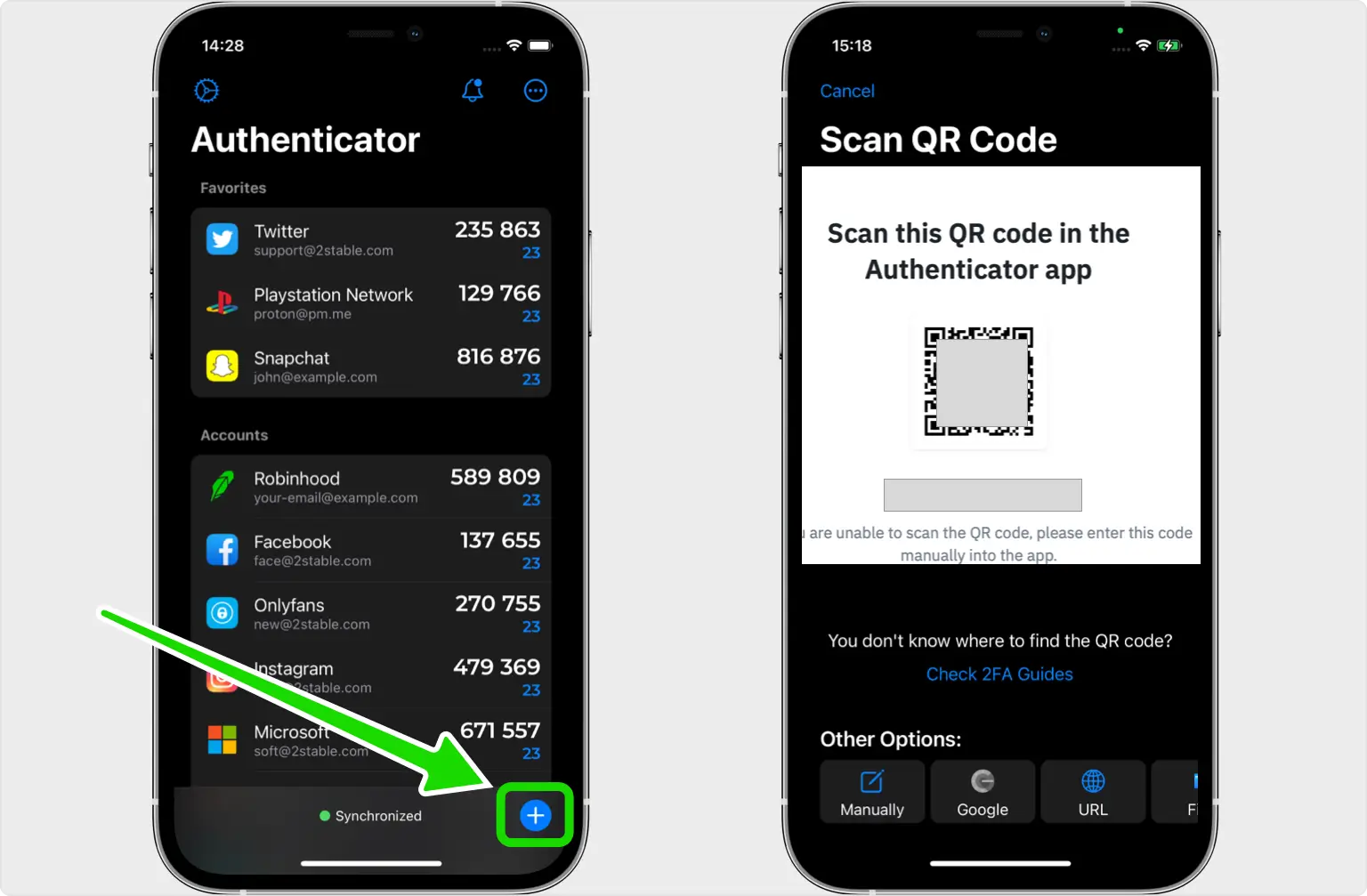
Two-Factor Authentication Code (2FA)
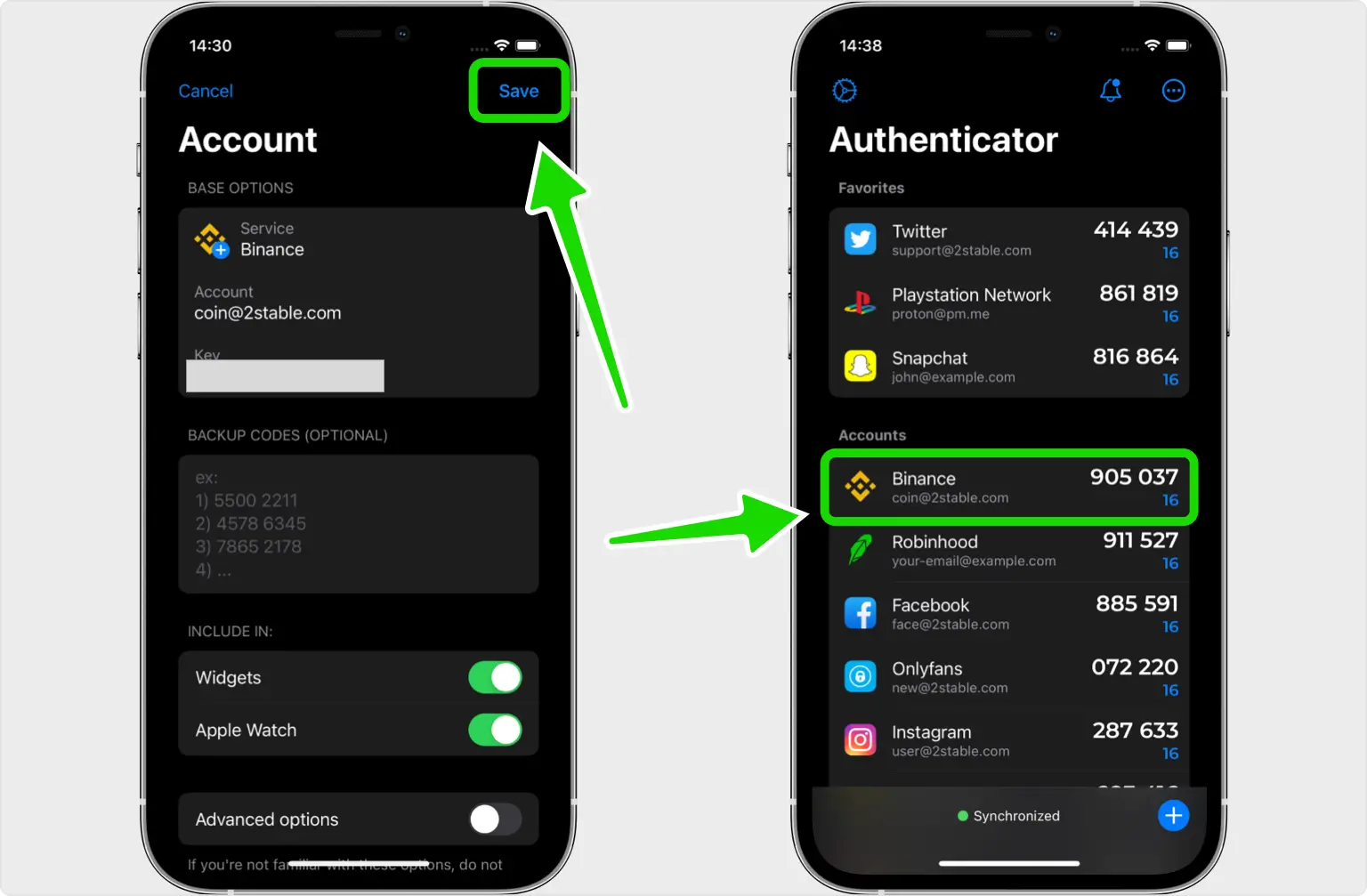
After successfully scanning the QR Code, Authenticator App will automatically choose the Binance logo and autofill the account name and secret key. Tap on Save, then copy the code.
Verify Your 2FA Code
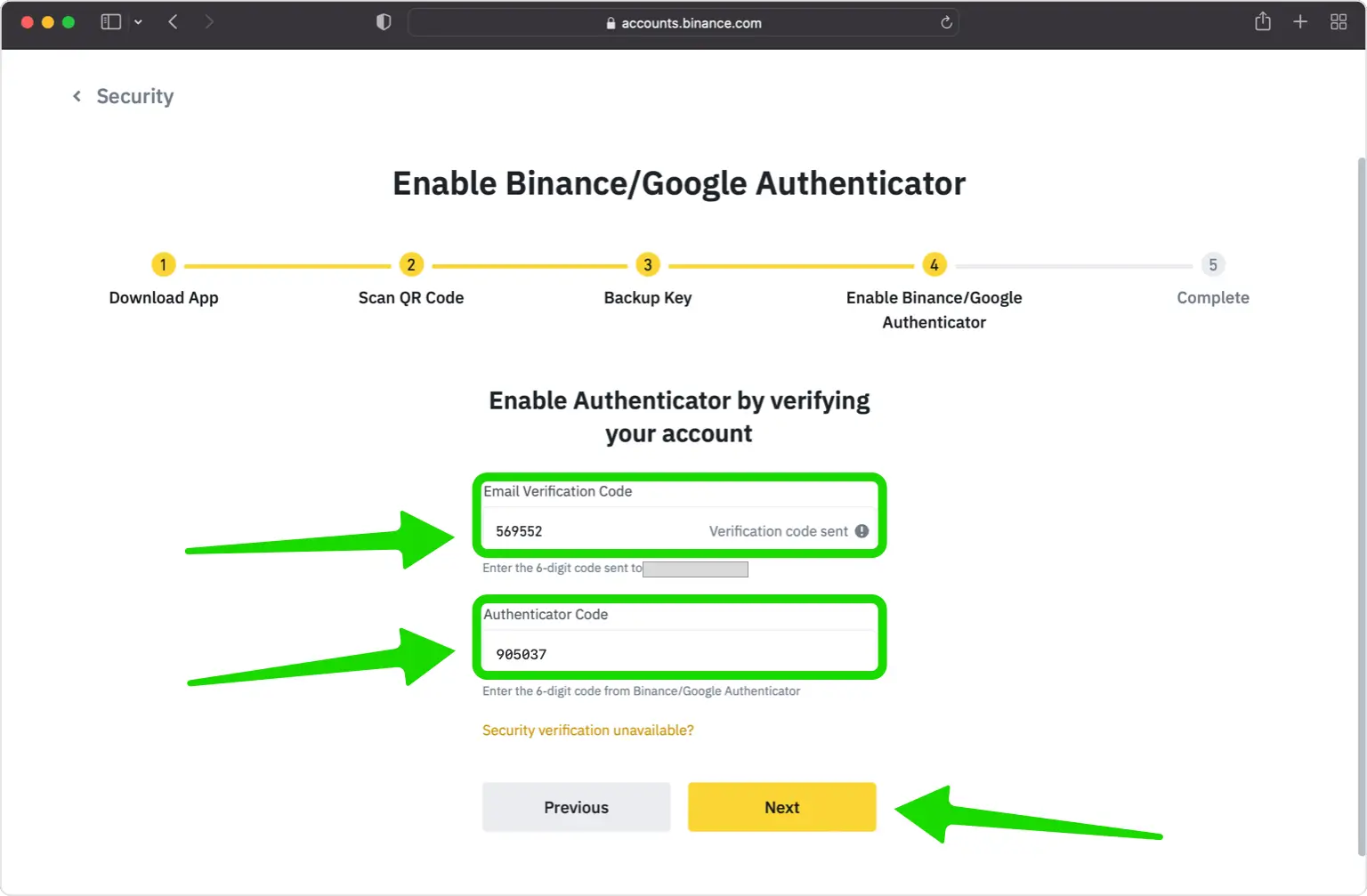
First, you need to confirm the code from your email address linked to your Binance account, by copying the code and pasting it in the Email Verification Code field. Secondly, paste the code from Authenticator App on the Binance website in the Authenticator App field.
Done!
You have successfully enabled two-factor authentication(2FA) to protect your Binance account, from now on, you will need to use the Authenticator App when you would like to log in to your Binance account.
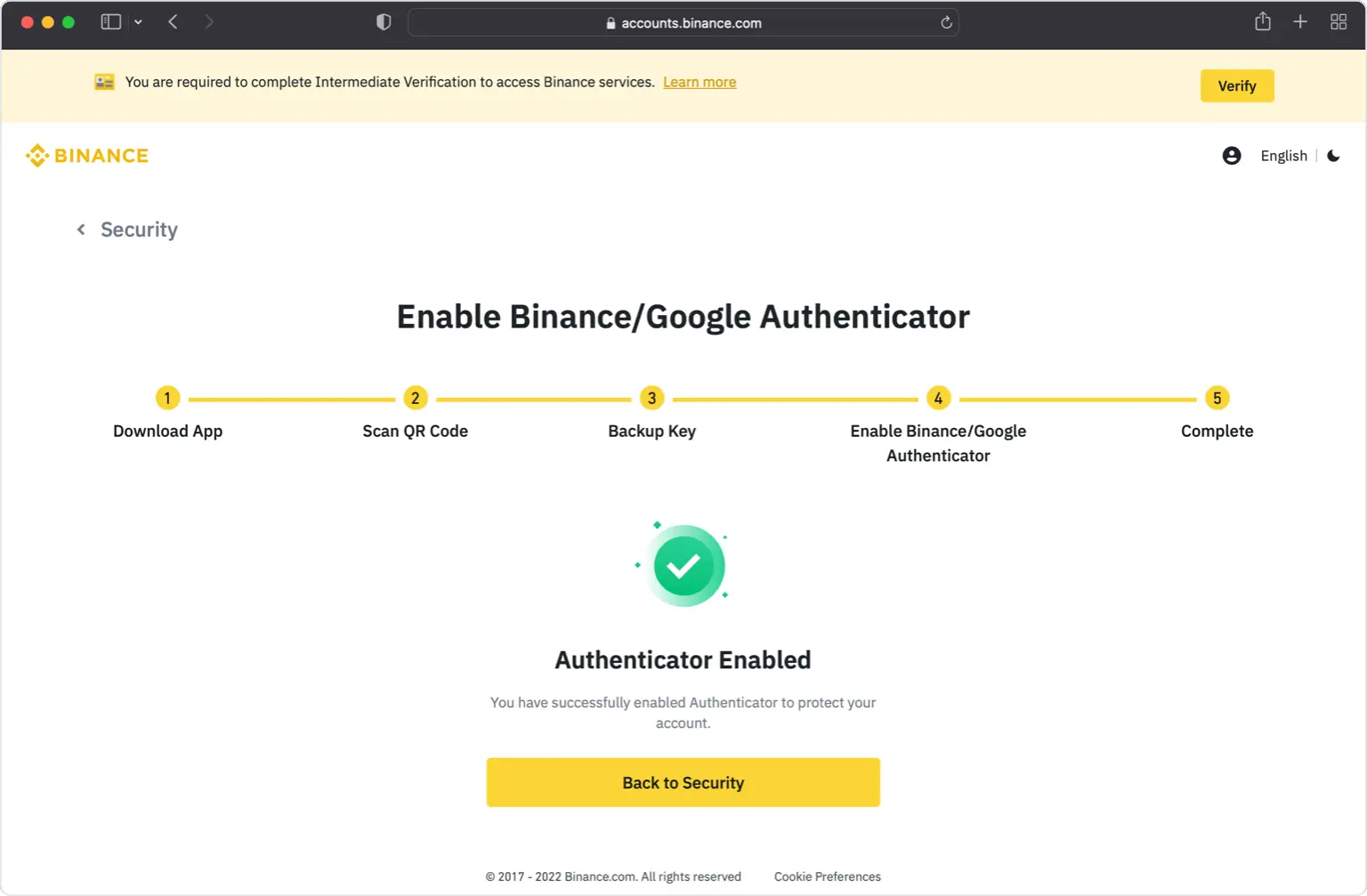
You're all set! To learn more, visit the Binance support page. Stay safe!
The information provided on this page is for educational purposes only and is intended to help users secure their accounts.
2Stable is not affiliated, associated, authorized, endorsed by, or in any way officially connected with Binance, or any of its subsidiaries or affiliates.
All product names, trademarks, and registered trademarks mentioned are the property of their respective owners. Their use here is for identification and reference purposes only and does not imply any association or endorsement.
For any legal inquiries or concerns regarding the content of this page, please contact us.